Indeed, it's alive. Which means, for people who were Blogger users right from the start - and were using features on their Blogger accounts which prohibited them from migrating earlier (like me!) - that Blogger has solved whatever problems were there allows me to migrate to the new Google backend, with all its extra fanciness on the Dashboard and the ability to consolidate my login to my Google account.
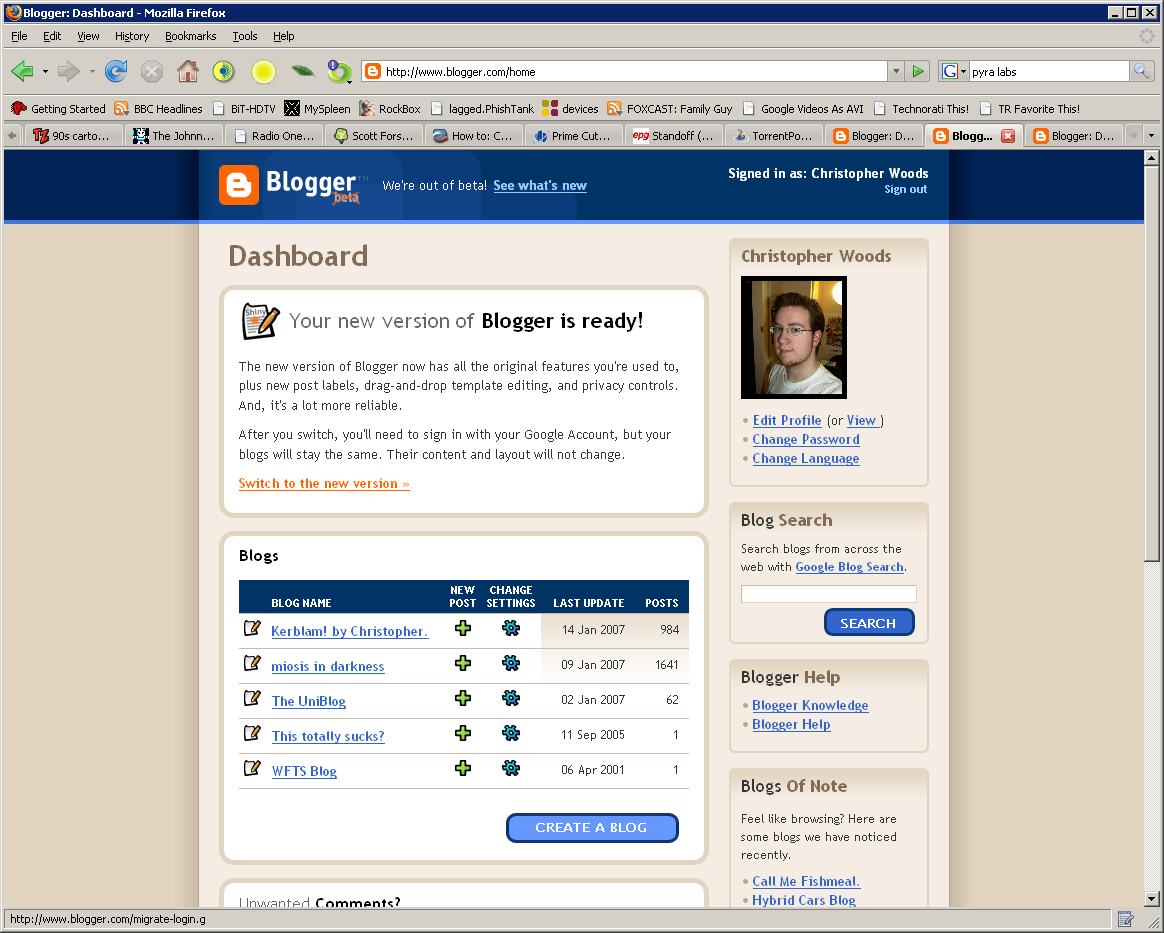
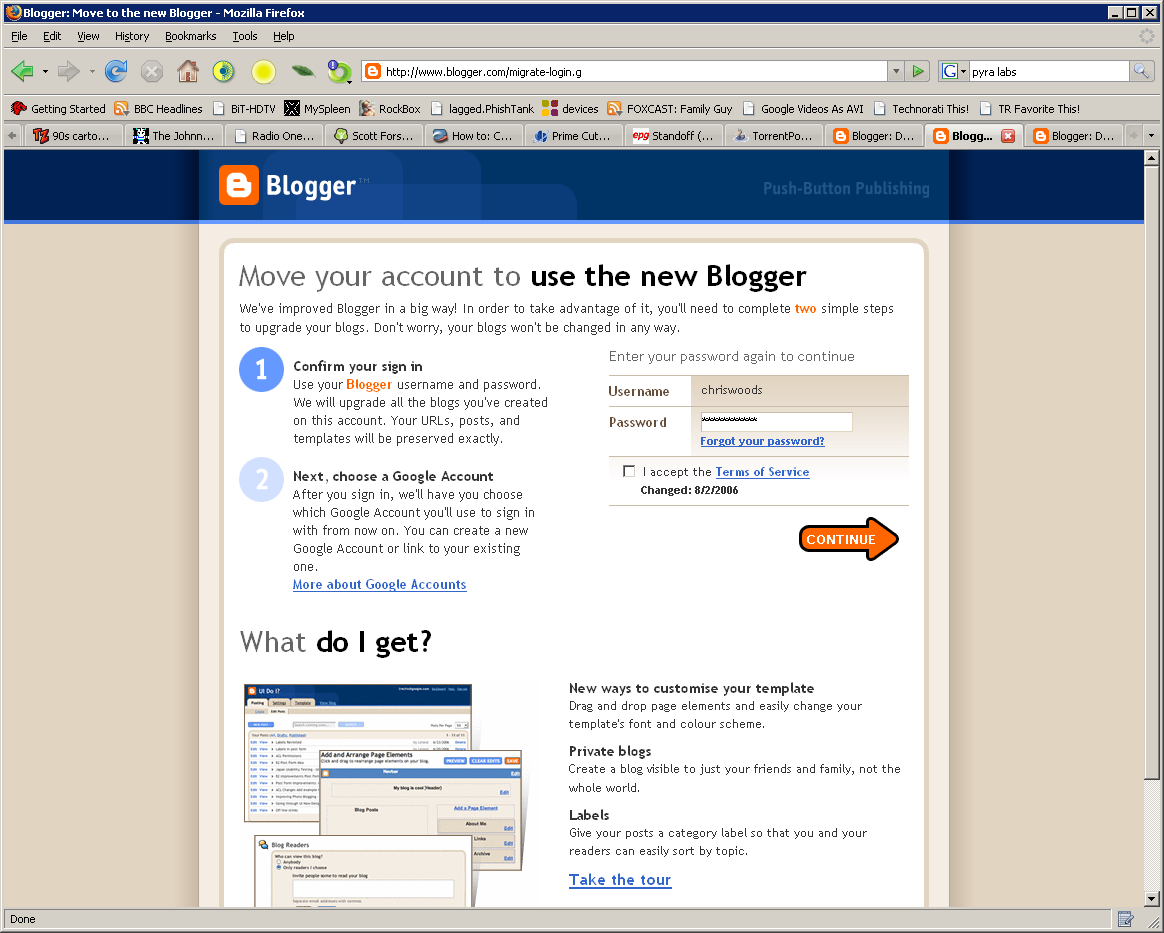
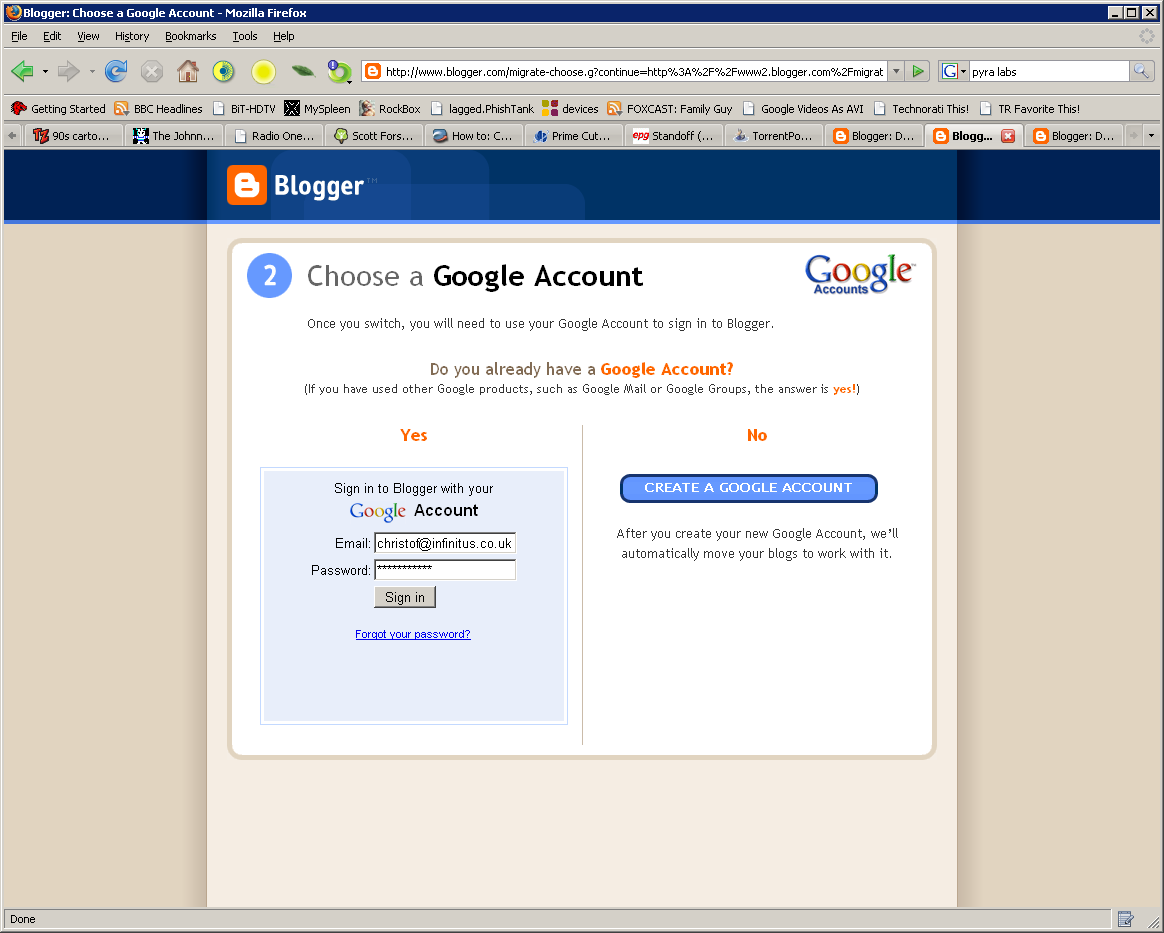
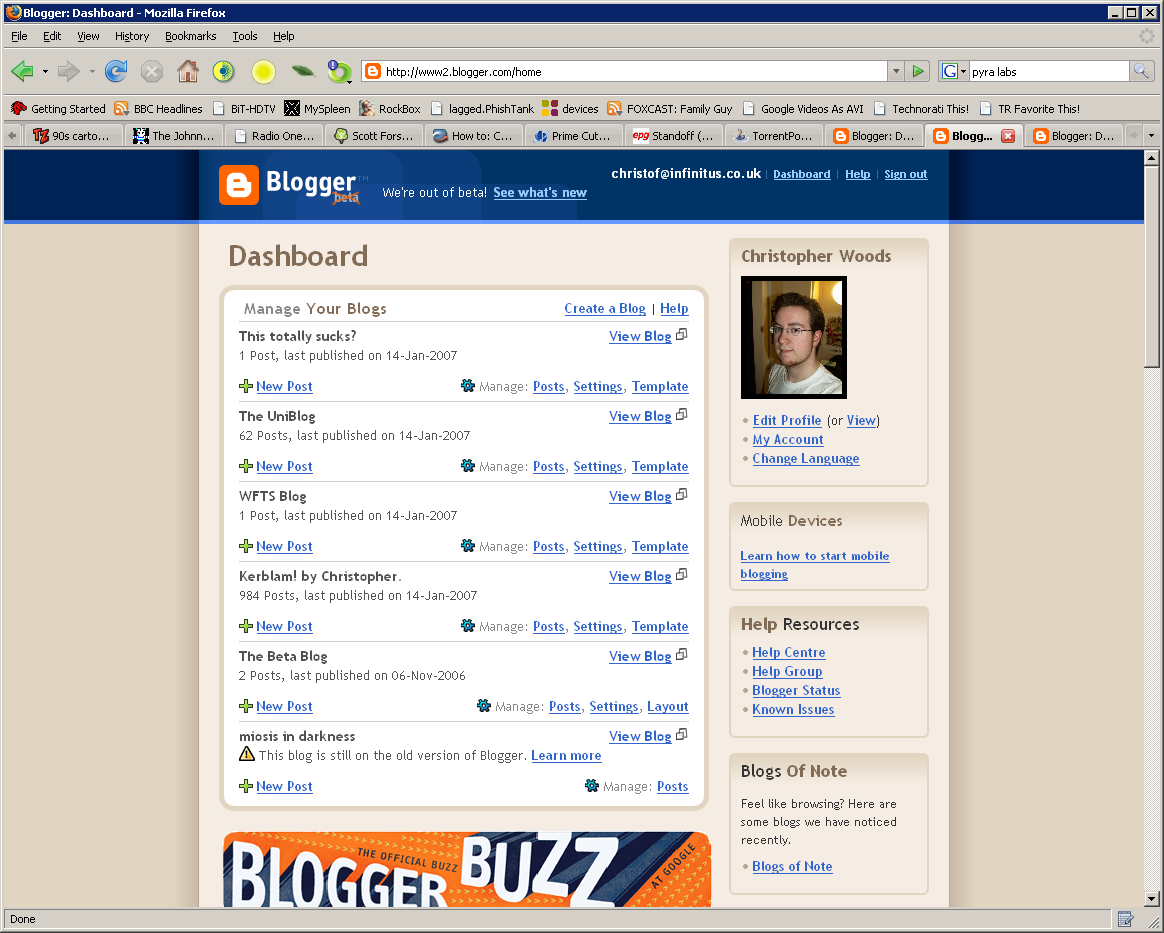
The update process was pretty painless to be honest; check out these screengrabs I did as each step was completed:
Step 1: my old dashboard
Step 2: The screen showing which blogs Blogger is going to upgrade, and which it either won't or can't for the time being
Step 3: Log in to your original Blogger account again, just to confirm the changes
Step 4: Log in to your Google account (or create a new one, as it happens I already have two anyway)
Step 5: Blogger working away in the background, switching over my accounts
Step 6: All done!
Step 7: How my new Dashboard looks :)
And here's my new Dashboard page, in all its glory (yes, ALL of it, it's rather long)
So there, all done! And hardly a drop of blood shed. So to anybody who's stalling or still undecided, go do it! Even better, my old blog IDs have stayed the same, so the geeky side of me can still take pride in the fact that my main blog was only the 187,628th blog EVER on the Blogger system :)
(...Man, that's SO nerdy. Woot!)




Now, this is curious.
I never do anything like this; in fact, my oldskool Blogger account is SO oldskool that my oldest blog in it has options in the Settings which aren't even available to more recent users.
That said, anything shiny and new, I have to be on the bandwagon (but of course, what's a geek to do) so here we are - Blogger Beta.
I am liking this interface, I look forward to when I can convert my old account over so as to take advantage of all these new features - I especially like the dynamic Template editor, you can pick a template from the list and then customise it with a handy drag-and-drop interface to suit your liking. That's pretty cool. In fact, all of the template screens have had a refresh, with increased in-browser flexibility for customisation without having to be well-versed in CSS/HTML (although, like in oldskool Blogger, you can enter it manually if you want).
The Create Post screen has a few small updates too, most notably an inline tags box (well, they call it 'labels' - I guess it pings Technorati and/or similar aggregators with the tags you've specified.
More coming soon, when I've had a proper chance to fully check it out - it's 4:27am now, and I have to be in Uni, in the recording studio (I'm doing BSc. Music Technology, so there's a lot of studio work) at 8am. Yay for me.
Until next time...
Well well well, I already have an oldskool account on Blogger, but let's try this one out too, why the hell not.
Cool, it works. :D


